
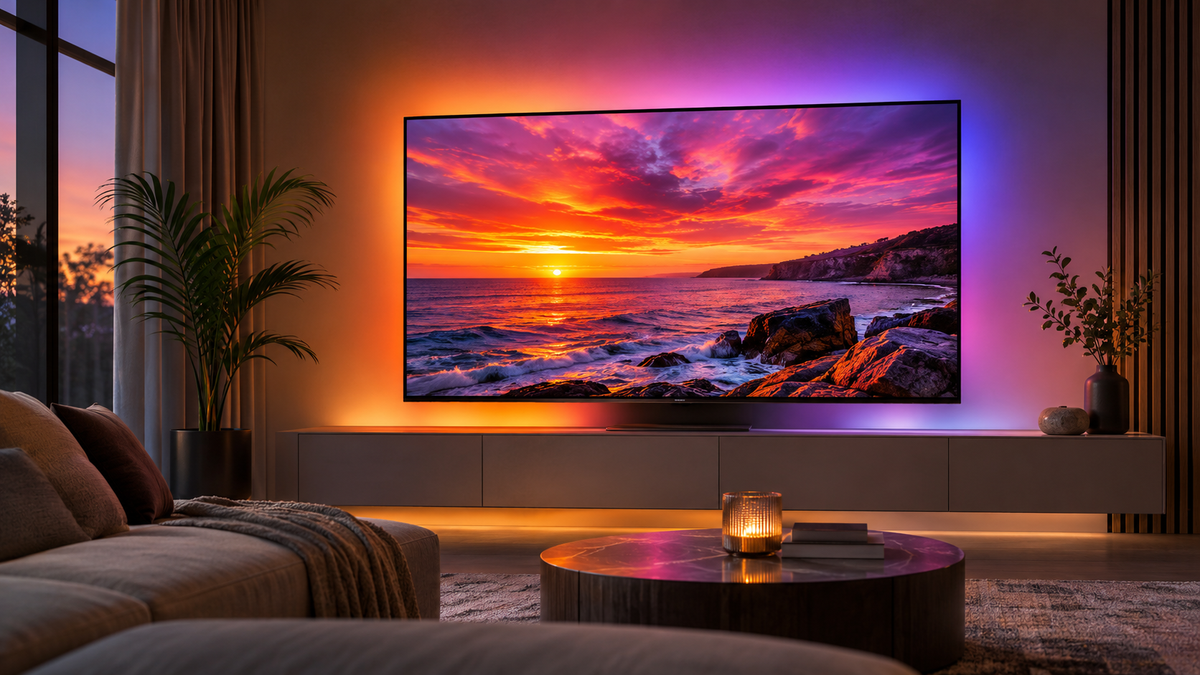
Imagine watching a film where a sunset fills the screen with orange and red, and those same colours spread onto the wall behind your TV.
When the scene changes to a deep-blue ocean, the lighting changes with it. When you're gaming, explosions, landscapes and colourful environments can make the area around your screen feel like part of the action.
That's the appeal of TV LED lights that change with the picture.
Unlike ordinary LED strips, screen-sync backlights react to the colours displayed on your television. Rather than choosing one colour and leaving it there, your lighting responds as the picture changes.
But there's one thing many people don't realise until after buying: not every screen-sync system works with every TV setup.
Some work with the streaming apps already installed on your television. Others need an external HDMI device. Some use a camera, while others analyse the video signal directly.
This guide explains how to choose the right system, what to check before buying, and which type of TV backlight makes sense for the way you actually watch and play.
Quick answer: Which TV backlight should you choose?
Before looking at individual products, think about where the picture on your television comes from.
| Your TV setup | Recommended starting point |
|---|---|
| Netflix, Disney+ or YouTube through built-in TV apps | Camera-based TV backlight |
| PS5, Xbox or another HDMI-connected console | Compatible HDMI sync box or camera kit |
| External Fire TV Stick, Apple TV or other HDMI streamer | Compatible HDMI sync box or camera kit |
| Mostly built-in apps, Freeview or ordinary TV channels | Camera-based TV backlight |
| Gaming setup where you don't want a camera on the TV | HDMI sync box with verified video compatibility |
| You only want a fixed colour behind the TV | Standard LED backlight |
The most important buying decision isn't how many lighting effects a product advertises.
It's whether the system can actually read the content you watch.
What are TV LED lights that change with the picture?
Screen-sync TV lights are LED backlights designed to react to the colours on your television.
Most systems use an LED strip mounted behind the screen. The strip shines onto the surrounding wall, creating a soft glow that changes with the picture.
For example, a scene showing a bright orange sky and blue sea might produce orange lighting above the TV and blue lighting around the lower sections.
This is different from a standard RGB strip, where you typically choose a colour or preset effect yourself.
It's also different from music-sync lighting. A strip that flashes to the beat of a song isn't necessarily able to analyse colours from your television.
If you want lighting that genuinely follows the picture, look specifically for screen-sync, screen-reactive or colour-matching TV backlighting.
Multi-zone lighting is worth considering too. A capable multi-zone system can show different colours across separate sections of the strip instead of making every LED display the same colour.
That can create a more convincing effect when different parts of the picture contain different colours.
How do TV lights sync with the screen?
There are two main methods worth considering for most TV setups: camera-based synchronisation and HDMI synchronisation.
Both aim to produce the same visual effect, but they read the picture differently.
1. Camera-based TV backlights
Camera systems use a small camera mounted around your television to observe the colours on the screen.
The system analyses the image and sends colour instructions to the LED strip behind the TV.
The biggest advantage is compatibility with different viewing sources.
Because the camera sees the physical screen, it can react to content from built-in streaming apps, external devices and ordinary television channels.
For example, you could watch Netflix directly through your TV, switch to a games console, then open YouTube without having to route every device through an additional HDMI box.
Camera systems can also be attractive if you don't want to change your existing home entertainment connections.
There are trade-offs, though.
The camera needs to be positioned correctly, and calibration matters. Reflections, screen glare and changing room lighting can affect the colours it detects.
You'll also have a small camera visible somewhere around the television.
If most of your entertainment comes from your TV's built-in apps, a camera kit is often the easiest place to start.
Explore the Zyko Atmos Triple Camera TV Backlight for a camera-based RGBIC option with smart app control.
2. HDMI sync boxes
An HDMI sync box works differently.
Instead of watching your screen with a camera, it reads the video signal travelling between a connected device and your television.
A typical setup looks like this:
PS5, Xbox or streaming device → HDMI sync box → TV
The LED strip connects to the sync box, which analyses the HDMI picture and sends the corresponding colours to the lights.
This means there's no camera mounted above your television.
An HDMI sync box can be a particularly appealing option for gaming consoles and external streaming devices, especially if you want the lighting equipment to remain out of sight.
However, you need to check compatibility carefully.
Different boxes support different resolutions, refresh rates, HDR formats and gaming features. A system suitable for 4K at 60Hz isn't automatically suitable for 4K at 120Hz with VRR.
Check the complete video signal path before buying, including the television, source device, HDMI cables and sync box.
See the Zyko Atmos HDMI Sync Box for an example of an HDMI-based TV lighting system.
For a more detailed technical comparison, read our HDMI 2.0 vs HDMI 2.1 sync box buying guide.
Do screen-sync TV lights work with Netflix and other streaming apps?
Yes, but the answer depends on how you're watching Netflix.
This is one of the most important details to check before purchasing.
If you use Netflix through your TV's built-in app
A camera-based backlight is generally the simpler solution.
The camera reads the colours displayed on the screen, so it doesn't need Netflix to send its video through a separate HDMI device.
The same principle applies to compatible built-in Disney+, Prime Video and YouTube apps, as well as other content visible on the television.
An ordinary HDMI sync box cannot directly analyse an image created by an app running inside the TV.
Connecting the box to an HDMI port doesn't automatically give it access to the picture from the built-in app.
If you use Netflix through an external streaming device
An HDMI sync box may be suitable.
For example, an external streaming device connected through a compatible HDMI sync box can supply the video signal needed for colour synchronisation.
The connection would look like this:
Streaming device → HDMI sync box → Television
The key is that the video must pass through the sync box.
If your household uses a mixture of built-in apps, broadcast television and games consoles, a camera-based kit may offer a simpler everyday experience.
What about PS5, Xbox and 120Hz gaming?
Gaming is one of the most popular reasons to install reactive TV backlighting.
Colourful racing games, open-world environments and fast-moving scenes can produce striking lighting effects around the display.
Both suitable camera systems and HDMI-based systems can work for gaming, but there are different things to consider.
A camera kit reacts to the image the TV displays, without sitting in the HDMI signal path.
An HDMI box must pass the video signal through to the television, so compatibility becomes more important.
If you use a PlayStation 5 or Xbox Series X with a 120Hz television, check whether the HDMI sync box supports your required resolution and refresh rate.
Also check features such as VRR, ALLM, HDR and Dolby Vision where relevant.
A product claiming HDMI 2.1 connectivity doesn't automatically prove that every possible combination of these features works.
If high-refresh gaming is important to you, verify the exact supported modes before ordering.
An HDMI sync box won't increase your console's frame rate. Its purpose is to synchronise the lighting while allowing a compatible picture signal to reach the TV.
Camera vs HDMI: Which gives the better TV lighting experience?
Neither method is automatically better for everyone.
A well-designed camera system can produce attractive colour matching without needing you to change how you watch TV.
An HDMI system can offer a cleaner appearance around the screen because it doesn't require a visible camera.
The right choice depends on your priorities.
Choose a camera backlight if:
- You watch most content through built-in TV apps.
- You frequently switch between different viewing sources.
- You don't want to change your HDMI connections.
- You prefer a straightforward approach to source compatibility.
Consider an HDMI sync box if:
- Most of your content comes from an external HDMI source.
- You don't want a camera mounted around the TV.
- You want your lighting to react directly to a compatible HDMI signal.
- You've verified support for the video modes your setup requires.
For a more detailed explanation of the technologies, read our HDMI sync box vs camera TV backlight comparison.
Five things to check before buying TV screen-sync lights
Once you've chosen a synchronisation method, there are a few other details worth checking.
1. Your TV size
TV backlights are usually sold in different lengths for different screen sizes.
Measure your television diagonally and select a kit intended for its size.
It's also worth checking the shape of the rear housing, ventilation areas, mounting hardware and positions of your ports.
A wall-mounted TV might require a different installation approach from a television sitting on a cabinet.

Don't assume that any strip can be safely shortened or extended. Follow the instructions for the particular kit.
2. Multi-zone colour control
If you want the lighting to reproduce several colours around the screen simultaneously, look for multi-zone control.
RGBIC is one technology that allows multiple colours to appear along different sections of an LED strip.
This can help the lighting respond to scenes containing several colours rather than displaying a single blended colour around the whole TV.
However, the quality of the effect also depends on the accuracy of the screen analysis and the way the system maps colours to the LEDs.
3. Brightness and the room around your TV
The wall behind your television plays a surprisingly important role.
Light-coloured walls generally reflect coloured lighting more visibly than very dark walls.
The distance between the screen and the wall, surrounding furniture and other room lighting can also affect the final appearance.
Adjustable brightness is useful because the ideal lighting level for daytime viewing may be different from what feels comfortable during a late-night film.
More brightness isn't always better. A balanced glow is often more pleasant than lighting that dominates the television.
4. Smart controls and lighting modes
Some systems provide app control, preset scenes, brightness adjustment and music-reactive effects in addition to screen sync.
These features are useful when you want the backlight to serve as everyday ambient lighting rather than only reacting to your screen.
Check what controls are included with the particular product and whether any Wi-Fi or app setup is required.
5. Installation and calibration
A successful installation matters just as much as the advertised features.
For camera systems, follow the camera mounting and calibration instructions carefully.
For HDMI systems, confirm the correct input and output connections before securing cables or mounting the sync box out of sight.
Whichever method you choose, plan the strip's route around your television before removing the adhesive backing.

Which Zyko Atmos TV backlight should you choose?
Zyko offers different approaches to reactive television lighting through its Atmos range.
The aim isn't to choose the most expensive option. It's to choose the setup that fits how you use your TV.
For straightforward camera-based lighting
The Zyko Atmos TV Camera Sync Backlight Kit is an option for shoppers who want screen-reactive lighting without routing their video through an HDMI box.
It can be a practical starting point if you mainly use built-in TV apps and want a reactive glow around your television.
For a triple-camera system
The Zyko Atmos Triple Camera TV Backlight offers a triple-camera approach to screen colour detection, RGBIC lighting and Tuya smart app control.
It's aimed at viewers who want camera-based synchronisation across different types of TV content.
For an HDMI-based setup
The Zyko Atmos HDMI 2.1 Sync Box is designed for compatible HDMI-connected sources.
It may suit gaming and entertainment setups where you want to avoid installing a camera around the display.
Match your resolution, refresh rate and video features to the product's stated specifications before selecting it.
You can also explore the Zyko Atmos range to compare available screen-reactive lighting options.
Frequently asked questions
Can LED lights behind a TV change colour with the picture?
Yes. Screen-sync LED backlights analyse the colours on the television and adjust the lighting to match. Depending on the system, this is done using a camera or an HDMI video signal.
What are TV lights that sync with the screen called?
They are commonly described as screen-sync TV backlights, screen-reactive LED lights, TV ambient lighting or colour-matching TV backlights. These terms are often used for lighting that reacts to the actual picture.
Can I use screen-sync LED lights with any TV?
Many systems work with a wide range of televisions, but compatibility isn't universal. Check TV size, the synchronisation method, available connections and any video-format requirements before buying.
Do I need a camera for TV LED lights to sync with the screen?
No. Camera-based kits are one option, but compatible HDMI sync boxes can analyse video from an external HDMI source without a camera. The best method depends on your setup.
Can TV LED lights sync with built-in Netflix?
Camera-based systems can generally respond to Netflix running directly on the TV because they read the physical screen. An ordinary HDMI sync box needs Netflix to play through a compatible external HDMI source.
Will TV backlights work with a PS5?
Yes, compatible camera or HDMI screen-sync systems can work with a PS5. For HDMI systems, check the supported resolution, refresh rate, HDR and other relevant gaming features.
Are RGBIC lights better for TV backlighting?
RGBIC can display multiple colours along different sections of a strip, making it useful for screen-reactive lighting. However, the overall quality also depends on the screen-sync technology, colour mapping and installation.
Do screen-sync TV lights work on a wall-mounted television?
Many kits can be installed on wall-mounted televisions. Check the space behind your TV, rear housing shape, access to connections and the kit's mounting instructions before installing the strip.
Can TV backlights stay on one colour?
Many smart screen-sync kits also provide static colours, lighting scenes or music-reactive modes. Check the specific product features to confirm which controls are available.
Are screen-sync TV lights worth it?
If you enjoy immersive gaming, films and colourful ambient lighting, they can be an appealing upgrade. If you only want a gentle, fixed glow behind the TV, a simpler LED backlight might be better value.
Final thoughts: Choose the lighting around your TV habits
TV LED lights that change with the picture can make everyday entertainment feel more immersive, whether you're watching a film, playing a game or enjoying your favourite series.
But the best results start with choosing the correct type of system.
If you mainly watch content through the apps built into your television, camera-based synchronisation is generally the most straightforward option.
If you use external HDMI devices and prefer a setup without a visible camera, a compatible HDMI sync box may suit you better.
Once you've decided how the lights will read your screen, check the TV size, colour control, installation requirements and video compatibility.
That way, you're choosing lighting for the way you actually use your television, rather than simply buying the product with the longest feature list.
Explore the Zyko Atmos collection to find a screen-reactive backlight for your setup.

Leave a comment
This site is protected by hCaptcha and the hCaptcha Privacy Policy and Terms of Service apply.