
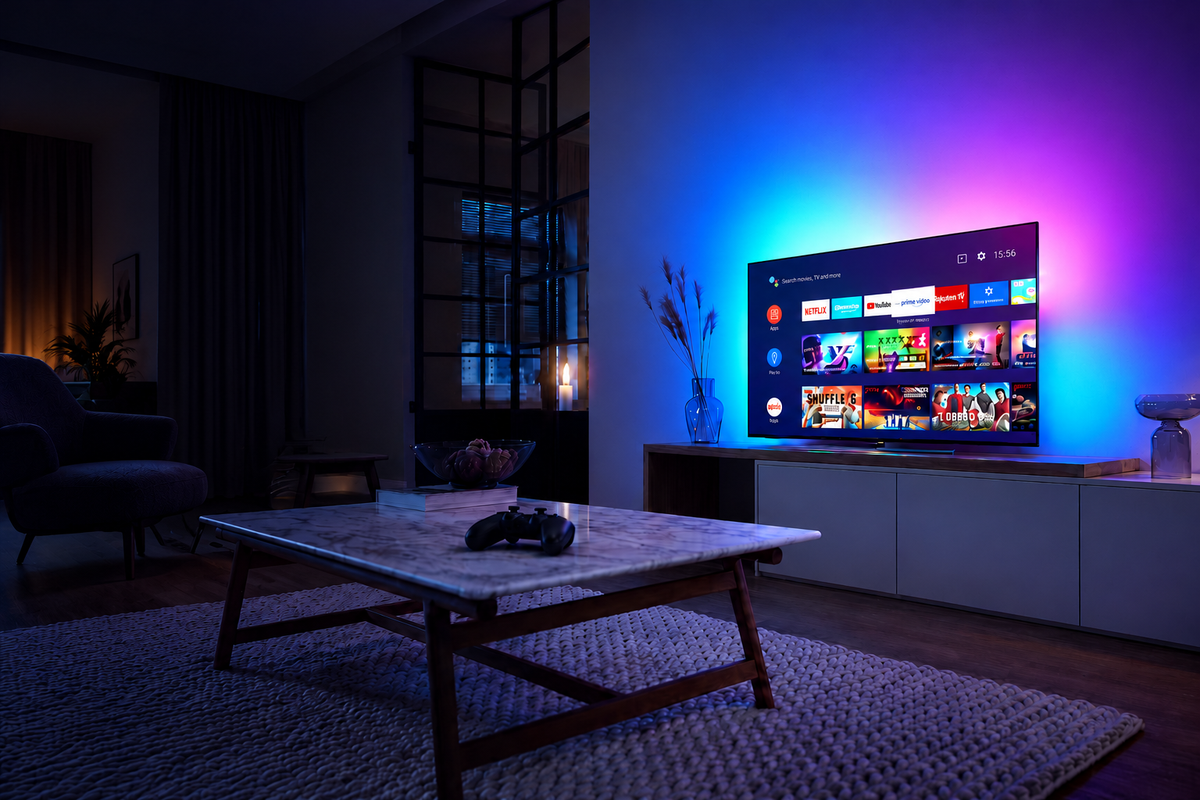
Yes, you can add Ambilight-style lighting to a Sky Glass TV. If you want the LEDs behind your television to follow Sky programmes, Netflix, sports and films shown through Sky Glass itself, a camera-based TV backlight is the straightforward choice. An HDMI sync box only sees video from devices connected through it, not the picture generated by Sky Glass's built-in apps.
This guide covers the original Sky Glass, Sky Glass Gen 2 and Sky Glass Air, with practical advice on 43-inch, 55-inch and 65-inch setups. We'll explain the two technologies, show which LED kit sizes fit, and help you choose between Zyko's standard camera backlight and its new triple-camera option.

Can you put Ambilight-style LEDs on Sky Glass?
Yes. Sky Glass is designed around its own streaming interface: Sky channels and apps such as Netflix play directly on the TV rather than arriving from a separate set-top box. That matters because the backlight must somehow identify the colours being displayed.
Camera-based reactive lights watch the TV screen itself. A small outward-facing camera is positioned above the display, facing the picture, and uses the visible on-screen colours to control an LED strip mounted behind the set. Whether the picture comes from Sky, an app or a console connected to the TV, the camera can react to what is visible.
This creates an Ambilight-style effect: colour extends onto the wall around the TV. It is an add-on lighting effect, not a built-in Philips Ambilight system or an official Sky accessory.
Sky's current Sky Glass specification and help page confirms that Sky Glass, Gen 2 and Air all support apps and external HDMI devices. Sky Glass owners also discuss successful camera-based reactive lighting in the Sky Community.
Camera backlight vs HDMI sync box: which works with Sky Glass?
The key difference is where each system gets its colour information. Sky Glass displays its native entertainment internally. That picture does not travel out of the TV through an HDMI cable for an external sync box to read.
| What you watch | Camera TV backlight | HDMI sync box |
|---|---|---|
| Sky channels through built-in Sky Glass | Works from the picture on screen | Does not sync the built-in picture |
| Netflix, Disney+ and other built-in apps | Works from the picture on screen | Does not sync the built-in picture |
| PS5, Xbox or streaming stick connected to the TV | Works from the picture on screen | Works when the source passes through the box |
| Camera visible above the screen | Yes | No |
| Best for | Sky Glass owners using built-in entertainment | People mainly using external HDMI sources |
An HDMI box is still useful for a console or external streaming stick. But if your main goal is colourful backlighting while watching Sky's own channels, a camera kit is the sensible purchase. Buying an HDMI sync box specifically for the Sky Glass home screen or built-in Netflix app would leave you disappointed.
If most of your entertainment comes from a separate HDMI device on another TV, see the Zyko Atmos HDMI 2.1 Sync Box instead. It is not the first recommendation for native Sky Glass viewing.
Which camera backlight should you buy for Sky Glass?
Zyko has two camera-based options. Both use the image visible on your television rather than requiring an external HDMI video source. The main decision is how much control and how sophisticated a colour-mapping system you want.
Zyko Atmos Triple Camera TV Backlight

The Zyko Atmos Triple Camera TV Backlight is the more advanced option. Its three-camera arrangement and AI-assisted screen mapping are designed to interpret colours around the picture, while RGBIC lighting can display multiple colours across different sections of the strip.
It uses 30 LEDs per metre and adds Tuya app control over Wi-Fi and Bluetooth, including segment controls, for a more flexible setup. The 30–50-inch version starts at £54.99, while the 55–65-inch version costs £64.99.
Choose this kit if you want a richer multicolour look, finer control of the lighting zones and a more capable camera-based system for everyday streaming, films and gaming.
Zyko Atmos TV Camera Sync Backlight Kit

The Zyko Atmos TV Camera Sync Backlight Kit is the simpler and less expensive choice. Its camera follows the visible picture and changes the LED colours behind your TV. It's a practical entry point if your priority is getting a reactive lighting effect without paying for the extra camera system.
The 32–50-inch option is £34.99, and the 55–65-inch option is £44.99. Those ranges cover the three current Sky Glass screen sizes. You don't need to buy the more expensive kit simply to enjoy the basic effect.
| Feature | Standard camera kit | Triple-camera kit |
|---|---|---|
| Colour capture | Single camera | Triple-camera AI-assisted mapping |
| Lighting approach | Screen-reactive backlighting | RGBIC multi-zone reactive backlighting |
| App control | Basic lighting controls | Tuya app via Wi-Fi and Bluetooth; segment control |
| 43-inch Sky Glass | 32–50-inch kit: £34.99 | 30–50-inch kit: £54.99 |
| 55- or 65-inch Sky Glass | 55–65-inch kit: £44.99 | 55–65-inch kit: £64.99 |
| Recommended for | Affordable reactive lighting | More flexible multicolour lighting and app control |
Both are camera-based, so both suit the way Sky Glass shows its built-in entertainment. The triple-camera model is an upgrade in camera arrangement and controls, rather than a requirement for Sky Glass compatibility.
Which LED backlight size fits Sky Glass, Gen 2 and Air?
The original Sky Glass, Sky Glass Gen 2 and Sky Glass Air are all offered in 43-inch, 55-inch and 65-inch sizes. Choose the LED kit based on the television's screen size, then follow the kit's strip-routing instructions during installation.
| Your Sky Glass size | Standard camera kit | Triple-camera kit |
|---|---|---|
| 43-inch (all generations) | 32–50-inch version | 30–50-inch version |
| 55-inch (all generations) | 55–65-inch version | 55–65-inch version |
| 65-inch (all generations) | 55–65-inch version | 55–65-inch version |
Don't confuse the screen's diagonal measurement with the LED strip's length. A 55-inch television is not 55 inches wide: the strip travels around its rear edges, and its exact path depends on how the kit is designed to be mounted.
Sky Glass, Gen 2 and Air have different body shapes and speaker arrangements. Before mounting LEDs, inspect the rear of your specific TV for ventilation openings, cable ports and suitable adhesive surfaces. Keep all vents and speaker openings clear.
What if you have Sky Stream rather than Sky Glass?
A Sky Stream puck is different from a Sky Glass television. Sky Stream is an external HDMI device that connects to another TV, so an HDMI sync box can sit between the puck and television and read that signal.
If you own Sky Glass itself, however, its built-in Sky experience doesn't pass through an external HDMI box. That's why a camera kit is the more versatile solution for its native channels and apps.
If you have both a Sky Stream puck and a separate television, you can choose either approach. A camera kit reacts to whatever appears on that TV; an HDMI kit reacts only to HDMI content passed through the box.
How to install reactive LED backlights on Sky Glass
A little planning makes a big difference to how clean the final effect looks. The goal is an even halo around the display, not visible LED dots or a camera obstructing the picture.
1. Check the rear of your TV
Inspect the top edge, corners and rear surfaces. On Sky Glass Gen 2 and Air, pay particular attention to the TV's chassis design and available clearance, especially if the television sits close to the wall. Follow Sky's mounting instructions; don't loosen or modify the TV's wall-mount fittings.
2. Fit the LED strip behind the screen
Choose your 43-, 55- or 65-inch kit before installation. Route the strip along the recommended path behind the set, keeping it clear of air vents, speakers, sockets and any moving parts. Clean and dry the appropriate mounting surface before applying adhesive.
3. Position the camera to see the whole picture
The camera needs a clear view of the screen, including its edges. Position it as the kit instructions describe and keep it away from anything that blocks the lens. A carefully placed camera is especially important on televisions with a thicker upper frame or a wall mount.
4. Connect the kit using its intended power supply
Follow the backlight kit's own power instructions. Sky Glass USB ports differ between generations, and a USB port should not be assumed to provide the voltage or wattage required by a particular LED controller. Using the kit's intended supply avoids that mismatch.
5. Calibrate and test with real content
Set the camera's mapping to the visible screen area, then try a scene with clearly different colours at opposite edges. Adjust brightness and colour behaviour until the glow feels balanced. Room reflections, direct light shining onto the screen and camera angle can affect the result, so a few small adjustments are worthwhile.
Once setup is complete, test a Sky channel, one of your built-in streaming apps and any connected console. A camera system works from the image on screen, so you can keep the same lighting arrangement across those viewing sources.
Is a camera backlight worth it for Sky Glass?
If you're buying primarily for films, sports, streaming and Sky channels, a camera backlight is the right type of product to consider. It lets you keep using the TV exactly as intended instead of adding an external streaming device just to make the lighting react.
For a budget-friendly first setup, the standard Zyko camera kit gets you the central feature: LEDs responding to the picture. If you want the extra camera mapping, RGBIC colour zones and Tuya Wi-Fi/Bluetooth control, choose the Zyko Atmos Triple Camera TV Backlight.
Neither option requires replacing your Sky Glass TV. And neither should be confused with the internal display backlight that lights up the LCD panel. This is external ambient lighting mounted behind the television, designed to illuminate the surrounding wall.
Sky Glass Ambilight and LED backlight FAQs
Can you get Ambilight on Sky Glass?
Yes, you can add an Ambilight-style colour-changing halo with a camera-based LED backlight. It isn't the same as Philips' built-in Ambilight technology, but it can produce a similar screen-reactive effect.
Do reactive LED lights work with Sky Glass built-in Netflix and Sky TV?
Yes, camera-based backlights react to the picture shown on the screen, including built-in apps and Sky channels. HDMI sync boxes cannot analyse those built-in sources because their picture never passes through the box.
Which is best for Sky Glass: camera or HDMI sync?
For Sky Glass's built-in entertainment, choose a camera-based kit. HDMI sync makes more sense if you mainly use a separate HDMI console or streaming player and want a camera-free setup.
Will a camera LED kit work on Sky Glass Gen 2?
The camera-based approach suits Gen 2 because it reads the visible screen rather than the TV's internal signal. Choose the correct strip size and make sure the camera and LEDs can be mounted clear of vents, ports and speakers.
What about Sky Glass Air?
The same camera-based approach suits Sky Glass Air. Air has a different chassis from Gen 2, so plan the camera placement and rear strip route for its specific shape.
What LED strip size do I need for a 43-inch Sky Glass?
Choose Zyko's 32–50-inch standard camera kit or 30–50-inch triple-camera kit. Both size ranges include a 43-inch screen.
What size do I need for a 55-inch or 65-inch Sky Glass?
For either screen size, choose the 55–65-inch variant of the standard camera kit or the triple-camera kit.
Does Sky Glass need an extra HDMI box for colour-changing backlights?
No. A camera-based TV backlight observes the picture directly, so there is no need to route Sky's built-in entertainment through another device.
Can I use Sky Glass's USB port to power LED backlights?
Use the power supply specified for your chosen lighting kit. The Sky Glass generations have different USB arrangements, and the TV's USB power output is not a substitute for a different voltage or higher-power adapter.
Can I use a backlight with Sky Stream?
Yes. Because Sky Stream sends video through HDMI to a television, you can use an HDMI sync box in that connection or a camera-based system that observes the screen.
Is the triple-camera kit necessary for a Sky Glass TV?
No. The standard camera kit is a less expensive way to add responsive lighting. The triple-camera version is aimed at customers who want its additional camera mapping and Tuya-controlled RGBIC lighting features.
Will the LEDs always exactly match every colour on screen?
Camera backlights respond to the screen, but the appearance of the light also depends on calibration, the camera's view, room reflections and the surface behind the TV. A clean installation and careful setup give the most balanced result.
Ready to add screen-reactive lighting to Sky Glass? Compare the Zyko Atmos Camera Backlight with the Zyko Atmos Triple Camera TV Backlight, choose the 43-, 55- or 65-inch fitting range, and enjoy ambient lighting without changing how you watch Sky.
Technical references: Sky Glass help and specifications and Sky Community discussion on reactive lighting. Sky Glass is a Sky product and Ambilight is associated with Philips. Zyko's kits are independent third-party lighting accessories.

Leave a comment
This site is protected by hCaptcha and the hCaptcha Privacy Policy and Terms of Service apply.