
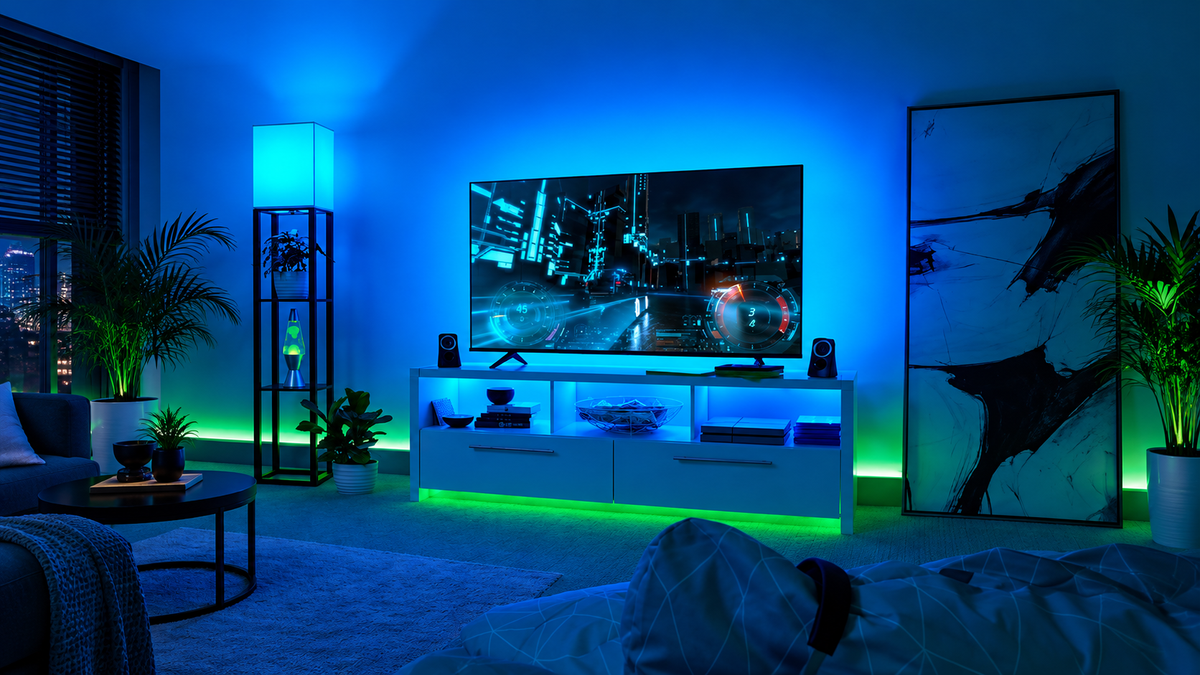
If you are comparing an HDMI sync box with a camera based TV backlight, start with one question: where does your picture come from? A camera watches the finished image on your TV. An HDMI sync box reads video from a device connected through it. That makes the source of your films, sport and games more important than the colour effects advertised on the box.
For built in TV apps, a camera based kit is usually the simpler route. For a console or external streaming device, an HDMI sync box can be a good fit, provided it supports the video features you actually use. Neither method is automatically the better purchase.
The quick buying decision
| How you watch or play | Start by considering | What to check |
|---|---|---|
| Netflix, Disney+ or YouTube opened on the TV itself | Camera based backlight | TV size, camera placement and setup requirements |
| Streaming stick or set top box connected by HDMI | Either method | Whether you want a visible camera or another box in the HDMI chain |
| PS5, Xbox or PC connected to a 4K 120Hz TV | Suitable HDMI sync box, or camera kit | Exact resolution, refresh rate, VRR and HDR support for the HDMI option |
| A mixture of built in apps and HDMI devices | Camera based backlight | Whether changing how you stream is worth the extra cost and effort |
| You only want a steady glow behind the TV | A static backlight instead | You may not need screen sync at all |
This is a choice between ways of reading the picture, not a ranking of brands. There are good and poor implementations of both.
Why an HDMI sync box cannot see built in TV apps
An HDMI sync box needs the video signal to travel through it before reaching the television. The basic route is:
Console or streaming device → HDMI sync box → TV

When you open Netflix using the app built into your TV, the television generates the picture internally. That picture is not travelling in through the sync box. Connecting the box to an HDMI socket does not, by itself, make the TV send its app picture back to it. Manufacturer support guidance for HDMI sync systems confirms that the content must come from an external HDMI device.[1]
You can change the route by running the streaming app on a compatible external device and connecting that device through the box. But if your TV already does everything you need, ask whether adding another streamer, power lead and remote makes sense just to use HDMI lighting.
For a household that watches mostly built in apps, the cheaper or more convenient choice may be a camera kit rather than rebuilding the viewing setup around a sync box.
How a camera TV backlight works
A camera based kit looks at the colours displayed on the screen and uses them to control the lights behind it. Because it sees the finished picture, it does not need that picture to arrive through a particular HDMI input.

That is useful when you switch between built in streaming apps, broadcast television and a games console. The camera is watching the same screen regardless of the source.
The trade off is that a camera must be mounted where it can see the screen. Follow the kit instructions because supported mounting positions can vary between products.
Camera setup can also involve aligning the screen area in an app. Room lighting and reflections can affect what the camera sees, so it is worth checking demonstrations filmed in a room similar to yours rather than assuming every setup will reproduce colour perfectly.
HDMI sync box vs camera for console gaming
A camera kit sits outside the video connection. It does not route your console picture through another HDMI device. That removes HDMI passthrough compatibility from the lighting purchase, but it does not tell you how quickly or accurately the lights react.

With an HDMI box, the video signal goes through an extra device. Check the actual supported combinations, not simply whether the listing says 4K or HDMI 2.1.
For a high refresh setup, check:
- The resolution and refresh rate you want together, such as 4K at 120Hz.
- Variable refresh rate, or VRR, if you use it.
- Auto low latency mode, or ALLM, where relevant.
- The HDR formats used by your TV and source.
- The number of inputs needed for your console and streaming devices.
- The connection plan if you also use a soundbar or AV receiver.
A product can support one feature without supporting every possible combination. Compatibility tables from established lighting systems separate video passthrough from light sync support and list specific formats.[2] That is the level of detail worth checking when your setup is more complicated than one source connected to one TV.
For the Zyko Atmos 4K 120Hz HDMI Sync Box, the current listing states 4K at 120Hz, VRR, ALLM, HDR and Dolby Vision support. Those are published specifications rather than independent performance test results. If you need a particular soundbar, receiver or video format combination, confirm that exact arrangement before ordering.
Is an HDMI box always more accurate?
Reading the HDMI signal avoids a camera interpreting the screen through the room lighting. That is a useful difference, but it is not proof of perfect colour matching, zero lighting delay or better results from every product.

The lighting software, processing and strip design still matter. Independent testing of an HDMI sync kit has shown that even a direct HDMI system can produce occasional colour choices that do not look right.[3]
Treat claims such as no delay carefully. The time taken by the lights to follow a colour change is different from input lag affecting your game. A camera may leave the console to TV connection untouched while still having its own lighting response time.
If accurate matching is your main reason for buying, look for independent footage of the exact model. We have not carried out a side by side performance test of the Zyko kits, so we cannot honestly promise that one has faster or more accurate lighting than the other.
A 55 inch UK buying example
The Zyko Atmos TV Camera Sync Backlight Kit has a standard reference price of £54.99 for the 55 to 65 inch option. It is listed as a top mounted camera sync kit with app control.
The Zyko Atmos 4K 120Hz HDMI Sync Box costs £139.99 for the 50 to 55 inch option. It is designed to sync lighting with video passing through the HDMI connection.
| For a 55 inch television | Camera kit | HDMI kit |
|---|---|---|
| Listed size option | 55 to 65 inches | 50 to 55 inches |
| Reference price | £54.99 | £139.99 |
| Picture source | Camera viewing the screen | External device connected through HDMI |
| Built in TV apps | Can read the displayed picture | Not directly supported |
| Visible camera | Top mounted camera | No camera needed |
| Main pre purchase check | Camera placement and fit | Required video features and connection chain |
The HDMI option is £85.00 more in this particular comparison. That is calculated using the camera kit standard reference price and the HDMI kit listed price. Promotional prices can change, so check the selected variant before buying.
For someone watching mainly the TV own apps, spending more on the HDMI kit does not solve the source problem. For someone already using external HDMI devices who dislikes a camera above the screen, the extra cost may be easier to justify.
This example deliberately uses a 55 inch TV. Check the live size information for other televisions rather than assuming the two kits offer matching ranges.
Before you order
Write down your TV model, screen size, main content sources and any soundbar or receiver. Then check the details that affect your particular setup.
For an HDMI kit, check input count, included cables, power supply and the required video formats. Do not assume that HDMI 2.1 answers every compatibility question.
For a camera kit, check the mount, screen fit and whether its position will clash with your wall mounting or other accessories. Check what setup is needed and whether the camera can see the whole screen in your arrangement.
Compare the complete purchase, including any streamer or other hardware you would need to add. Read the returns terms before opening or fitting the kit if compatibility is uncertain. Returns available does not necessarily mean you can install a product, use it for weeks and send it back because you changed your mind.
You can browse the Zyko Atmos lighting range once you know which method fits your sources. If you are choosing lighting for a computer monitor instead, the reactive monitor LED buying guide covers that separate decision.
Frequently asked questions
Does an HDMI sync box work with Netflix?
It can work when Netflix runs on a compatible external HDMI device connected through the box. It does not directly read Netflix running inside the television. Check the exact box compatibility before buying.
Is there a sync box that works with built in TV apps?
A conventional HDMI reading box cannot see the TV internally generated app picture. A camera kit can read the screen instead. Some television platforms offer separate native sync solutions, but compatibility depends on the exact TV and lighting ecosystem.
How much better is a sync box than a camera?
There is no honest universal score. HDMI avoids optical effects from the room, while a camera works across content sources without changing the HDMI chain. Compare the exact models, your sources and independent testing, not the method name alone.
Which should I buy for films, sport and games?
Start with how you watch them. Choose a camera based kit if keeping built in apps and mixed sources is the priority. Consider an HDMI kit if your content already comes through external devices, you want no screen mounted camera and the box supports the video features you need.
Buy for the source you actually use
The best TV backlight for your setup is the one that can read your normal viewing without forcing an awkward workaround. Built in apps point towards a camera or another compatible screen reading solution. External HDMI sources make an HDMI box a practical option.
Decide that first. Then compare fit, compatibility, price and the quality of the actual lighting. A more expensive kit is only a better buy if its strengths match the way you use your television.
For a broader look at whether reactive TV lighting is worth adding at all, read our screen backlight buying guide.
Sources
[1] WiZ support guidance on HDMI sync boxes and smart TV apps

Leave a comment
This site is protected by hCaptcha and the hCaptcha Privacy Policy and Terms of Service apply.