
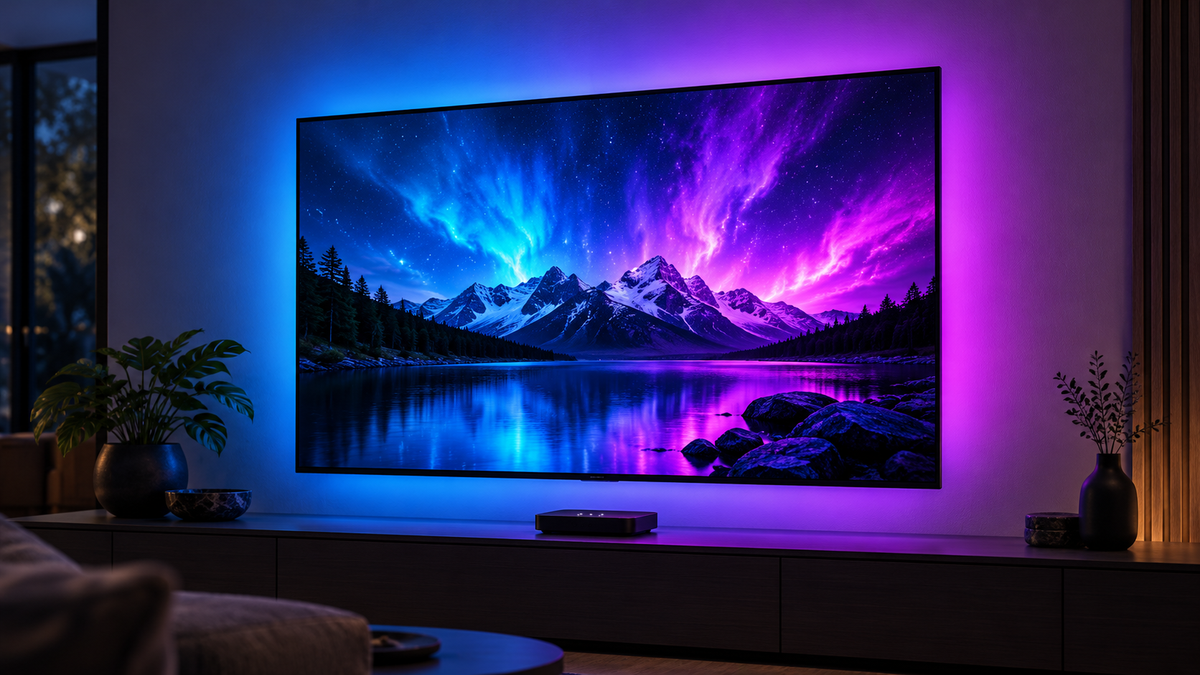
Choose an HDMI 2.0 sync box for a setup that only needs 4K at 60Hz. Choose a documented 4K 120Hz HDMI 2.1 sync box if you want to keep high-refresh gaming, VRR or ALLM in your HDMI chain. Before either purchase, check where your picture comes from: these boxes synchronise lighting with an external HDMI source, not directly with apps built into your TV.
For Zyko shoppers, the Atmos HDMI 2.0 model is the lower-cost option. The Atmos HDMI 2.1 model adds documented 4K 120Hz, VRR and ALLM support. Both list 60 LEDs per metre. The reason to spend more is the video and gaming features your setup needs, rather than an assumed improvement in LED density.
This guide compares published specifications and UK prices checked on 26 October 2026. It is not a hands-on performance test. Where Zyko has not documented a feature, we say so.
Which HDMI sync box should you buy?
- A 4K 60Hz TV, an external streamer and a limited budget: start with HDMI 2.0. Confirm any essential HDR format before ordering.
- A 4K 120Hz TV with PS5, PS5 Pro, Xbox Series X or a suitable gaming PC: choose the HDMI 2.1 model to preserve its advertised high-refresh capability.
- You want VRR or automatic game-mode switching: the Zyko HDMI 2.1 page lists VRR and ALLM. The HDMI 2.0 page explicitly says neither is supported.
- You watch everything through built-in TV apps: neither box directly sees that picture. Consider an external HDMI streamer or read our HDMI sync box vs camera TV backlight guide before choosing.
- You need 1080p or 1440p at 120Hz or above: obtain confirmation for that exact mode. Neither Zyko page publishes a detailed lower-resolution high-refresh compatibility list.
A console's name alone does not settle the decision. A PS5 used at 4K 60Hz can suit a different purchase from the same console used for 120Hz gaming and VRR.
HDMI 2.0 vs HDMI 2.1: what actually changes?
HDMI carries digital video, audio and control information between devices. Bandwidth describes how much data the connection can carry. Higher resolutions, faster refresh rates and richer colour formats place greater demands on that connection.
HDMI 2.0 has an 18Gbps bandwidth ceiling and is commonly associated with 4K 60Hz. HDMI 2.1 raised the specification's ceiling to 48Gbps and introduced support for combinations such as 4K 120Hz and 8K 60Hz, alongside optional gaming features. Those are capabilities of the specification, not a promise that every box provides them.
HDMI Licensing Administrator explains that HDMI 2.1 features are optional. Look for the exact feature list rather than treating the version number as a complete specification. Zyko advertises its HDMI 2.1 box at up to 4K 120Hz; that does not establish 8K, 4K 144Hz or a full 48Gbps implementation.
| Question | HDMI 2.0 | HDMI 2.1 |
|---|---|---|
| Maximum standard bandwidth | 18Gbps | Up to 48Gbps |
| 4K gaming | Up to 4K 60Hz | Up to 4K 120Hz |
| Gaming features | 4K 60Hz gaming | Supports VRR and ALLM on the Zyko HDMI 2.1 kit |
| HDR | HDR capability varies by equipment | Supports advanced HDR formats, including Dolby Vision on the Zyko kit |
| Best for | 4K 60Hz TV entertainment and everyday gaming | 120Hz gaming on compatible TVs and consoles |
Colour depth and chroma sampling also affect bandwidth. A headline resolution and refresh rate do not describe every possible HDR or colour combination. If you need a particular RGB or 4:4:4 mode, ask about that exact combination rather than assuming it from “4K 120Hz”.
60Hz versus 120Hz is not the same as game frame rate
A 60Hz display refreshes 60 times per second; a 120Hz display refreshes 120 times. At fixed refresh rates, that is roughly 16.7 milliseconds versus 8.3 milliseconds between refreshes. These are timing calculations, not measurements of either sync box's latency.
Higher refresh rates can make fast action feel smoother when the game delivers enough frames. But a 120Hz connection does not make a 30fps game render at 120fps. Supported games may offer a performance mode that trades some image detail or rendering resolution for a higher frame rate.
Equally, a 120Hz TV cannot recover 4K 120Hz after the signal passes through a box limited to 4K 60Hz. Every device and cable in the path must support the intended signal.
Zyko Atmos HDMI 2.0 and HDMI 2.1 compared
Use the comparison below to choose according to the video modes and features that matter to your setup.
| Feature | Atmos HDMI 2.0 | Atmos HDMI 2.1 |
|---|---|---|
| Maximum resolution | 4K at 60Hz | 4K at 120Hz |
| 4K 60Hz | Supported | Supported |
| 4K 120Hz | Not supported | Supported |
| VRR | Not supported | Supported |
| ALLM | Not supported | Supported |
| Dolby Vision | Confirm compatibility for your HDR setup | Supported |
| HDCP | Standard HDMI content protection | HDCP 2.3 |
| CEC | Standard HDMI connection | Supported |
| Screen synchronisation | Real-time HDMI colour matching | Real-time HDMI colour matching |
| LED density | 60 LEDs per metre | 60 LEDs per metre |
| Colour effects | RGB scenes, music modes and adjustable brightness | Multi-zone RGB scenes, music modes and adjustable brightness |
| Smart controls | Tuya Smart, Alexa and Google Assistant | Tuya, Alexa and Google Assistant |
| TV sizes | 40–50, 55–65, 75–85, 90–98, 110–120 inches | 27–30, 40–43, 50–55, 65–70, 75–85, 90–98 inches |
When the HDMI 2.0 model makes sense
The Zyko Atmos HDMI 2.0 Sync Box is the sensible starting point for a compatible external streamer, older console or 4K 60Hz gaming setup when VRR and ALLM are not priorities. It gives you HDMI-driven lighting without paying for a 4K 120Hz path you cannot use.

For films and streaming, match the box to the HDR formats your source and television use. HDMI 2.0 describes the connection generation, not a complete HDR feature list.
When the HDMI 2.1 model earns its extra cost
The Zyko Atmos 4K 120Hz HDMI 2.1 Sync Box is the better match for a compatible 120Hz gaming setup or a buyer who needs its listed VRR and ALLM support. Its Dolby Vision and HDCP 2.3 listings also give movie buyers more published information to work with.

For Dolby Vision gaming at 4K 120Hz with VRR, the source, sync box and television must all support that combination. Review the intended connection as a complete system.
Both kits use 60 LEDs per metre. Choose between them primarily on the HDMI video features and TV setup, rather than LED density.
UK prices: compare the same TV size
Displayed GBP selling prices were checked by selecting every size on 26 October 2026. They can change. The ranges are not identical, so a “from” price is not always the right comparison.
| Model | TV size | Price |
|---|---|---|
| HDMI 2.0 | 40–50 inches | £79.99 |
| HDMI 2.0 | 55–65 inches | £84.99 |
| HDMI 2.0 | 75–85 inches | £94.99 |
| HDMI 2.0 | 90–98 inches | £104.99 |
| HDMI 2.0 | 110–120 inches | £114.99 |
| HDMI 2.1 | 27–30 inches | £129.99 |
| HDMI 2.1 | 40–43 inches | £134.99 |
| HDMI 2.1 | 50–55 inches | £139.99 |
| HDMI 2.1 | 65–70 inches | £144.99 |
| HDMI 2.1 | 75–85 inches | £149.99 |
| HDMI 2.1 | 90–98 inches | £154.99 |
For the identical 75–85-inch range, the difference is £55: £94.99 versus £149.99. For 90–98 inches, it is £50. At 55 inches, the listed options are 55–65 inches for HDMI 2.0 and 50–55 inches for HDMI 2.1, again a £55 difference, but with different strip-size ranges. Check physical fit as well as price.
Which box suits PS5, Xbox, Nintendo and PC gaming?
PS5 and PS5 Pro
For 4K 120Hz gaming, use the HDMI 2.1 box with a TV input and cables that support the intended mode. A PS5 or PS5 Pro on a 4K 60Hz television does not automatically need the more expensive box, although VRR may still matter if your display supports it.
Check resolution, 120Hz output, VRR and ALLM in the console's video settings, and check the individual game's performance settings. Sony's PS5 video-output guide explains these controls. Treat PS5 Pro's additional capabilities separately: the Zyko page lists PS5 compatibility, but does not provide a complete PS5 Pro mode-validation report.
Xbox Series X and Series S
Xbox Series X supports 4K gaming at up to 120fps with suitable content and display, making the HDMI 2.1 box the natural match when retaining that output matters. Series S targets 1440p gaming with 4K upscaling and supports up to 120fps in supported content; it is not simply a smaller Series X with identical rendering targets. See Microsoft's Series X and Series S specifications.
For an Xbox Series S at 1440p 120Hz, compare the exact output mode, HDR settings and VRR requirements with the sync box specifications before choosing.
Gaming PCs and competitive play
For PC gaming, check the graphics card's HDMI output, your display's HDMI input and the actual resolution and refresh rate you intend to use. Higher-refresh and ultrawide setups need an exact mode match; DisplayPort connections are a separate consideration.
For competitive gaming, distinguish video input lag from how quickly the LEDs change colour. ALLM helps compatible televisions enter low-latency mode, but it is not a latency measurement. Check your full signal path and gaming settings when adding any HDMI device.
Nintendo and older consoles
Both Zyko pages list Nintendo Switch compatibility. Switch 2 needs a separate check: Nintendo documents up to 4K 60fps in TV mode and up to 120fps at 1080p or 1440p. That does not mean either Zyko box has been verified for Switch 2's particular modes. Consult Nintendo's current feature guidance and confirm the box's exact compatibility before ordering for that console.
Older consoles and sources used at 60Hz generally give less reason to pay for a 4K 120Hz path. Still check their output and any essential audio or HDR requirements. A compatible connection can make the HDMI 2.0 option better value than an upgrade your games never use.
Movies, HDR and built-in streaming apps
For an external HDMI streamer outputting no more than 4K 60Hz, 120Hz passthrough alone is not a reason to spend more. The important checks are your streaming device's output format, the content you watch and the TV's supported formats.
HDR10, HDR10+ and Dolby Vision are distinct formats. Dolby Vision is not exclusive to HDMI 2.1 equipment: Dolby's HDR guidance explains why source, display and connection compatibility matter. Equally, generic HDR support is not proof of every HDR format. Zyko lists Dolby Vision on its HDMI 2.1 model, while HDMI 2.0 buyers should select the specific HDR formats they need.
A built-in Netflix or Disney+ app does not send its picture out through the TV's ordinary HDMI input. The box cannot analyse a signal that never reaches it. The same concern applies to the TV's internal tuner. An external streaming device or set-top box connected through the sync box supplies the needed HDMI picture path.
Video passthrough and screen-reactive lighting serve different purposes. The HDMI signal carries the picture to the television while the sync box controls the backlight; LED density alone is not a measure of colour accuracy or response speed.
Connections, soundbars and installation
For the simplest arrangement, connect:
Console, PC or streamer → sync box HDMI IN → sync box HDMI OUT → compatible TV HDMI input.
The LED strip connects to the sync box, with power supplied as instructed for the kit. The box reads colour information from the HDMI source and drives the lighting behind the screen. It does not use a camera above the TV.
Soundbars, receivers and multiple sources
If you use a soundbar through the TV's eARC port, keep the audio-return connection distinct from the HDMI video path. For an AV receiver, ensure that every device in the signal chain supports the picture and audio formats you want.
Do not buy a splitter as an assumed workaround for built-in apps or a 4K 60Hz bottleneck. Splitters and switches introduce their own bandwidth, HDCP and device-negotiation requirements. They need a confirmed design for your actual equipment.
Both kits connect between an external HDMI source and the television. If you use multiple consoles or streaming devices, plan how you will select or switch between HDMI sources.
Choose the strip size and mount it carefully
TV size is measured diagonally; strip fit depends on the rear layout as well. Check the listed range, mounting route, power position and access to ports before sticking anything down. Do not assume the strips can be cut or extended without model-specific instructions.

The HDMI 2.0 kit uses self-adhesive rear LED mounting, while the HDMI 2.1 kit includes corner guides for routing the strip around the television. Choose the screen-size variant that matches your TV and plan your HDMI cable route before installation.

The HDMI 2.1 page lists 2.4GHz Wi-Fi for app and smart-home functions. The HDMI 2.0 page lists Wi-Fi and Tuya Smart without specifying the band in its checked technical table. Your television does not need its own Wi-Fi connection to carry an external source's HDMI picture.
Common buying mistakes to avoid
- Buying by version number alone. Write down your required resolution, refresh rate, HDR format and gaming features first.
- Checking only one cable. An inline sync box creates two HDMI cable links. Both need to carry your selected mode. For 4K 120Hz, look for certified Ultra High Speed HDMI cables and verify their labels using HDMI's official guidance.
- Using the wrong TV input or settings. Check the television's manual for its supported ports and any required enhanced-signal or game-mode settings.
- Assuming HDR, VRR and 120Hz always work simultaneously. Confirm the combination, not just each term in isolation.
- Expecting 120Hz lighting hardware to increase game performance. It preserves a compatible signal path; it does not render extra game frames.
- Forgetting the source of ordinary TV viewing. Built-in apps and internal tuners do not travel through an external sync box.
If an existing setup develops a blank picture or loses a video option after adding a box, first reconnect the source directly to the TV. That establishes a useful baseline before checking each cable, input and setting in the longer chain.
Frequently asked questions
Is HDMI 2.0 enough for 4K?
Yes. Zyko's HDMI 2.0 sync box supports 4K 60Hz, making it suitable for external HDMI sources using that resolution and refresh rate. Match HDR formats separately if they matter to your setup.
Is HDMI 2.1 worth it for a sync box?
It is worth considering when you need documented 4K 120Hz, VRR or ALLM support. For a compatible 4K 60Hz source and TV, HDMI 2.0 can be the better-value choice.
Do I need HDMI 2.1 for PS5?
You need a suitable HDMI 2.1 signal path for 4K 120Hz. A PS5 used at 4K 60Hz does not automatically require that upgrade, but your HDR and VRR requirements still matter.
Can HDMI 2.0 run 120Hz at 1080p or 1440p?
Lower-resolution 120Hz gaming depends on the specific video mode as well as the HDMI connection. Match your chosen resolution and refresh rate to the box's specifications.
Will an HDMI 2.1 box work with an older TV?
HDMI provides backwards compatibility, but the setup runs within the capabilities of its connected devices. A newer box does not add 120Hz or HDR capability to a TV that lacks it.
Will either box sync with the Netflix app built into my TV?
Not directly. Use an external HDMI streaming device through the box, or consider a camera system that reads the screen.
Does the Zyko HDMI 2.0 box support VRR or ALLM?
No. Its checked technical table explicitly lists both as unsupported. The HDMI 2.1 model lists both as supported.
Does HDMI 2.1 automatically mean Dolby Vision?
No. Dolby Vision support is a separate feature from the HDMI version. Zyko lists Dolby Vision for its HDMI 2.1 box; the desired source, resolution, refresh rate and VRR combination should also match.
Will a sync box add input lag?
Video input lag and LED response time are separate measurements. ALLM helps a compatible TV enter its low-latency mode; it does not mean that any device has zero delay.
Does the HDMI 2.1 kit have more LEDs per metre?
No. Both Zyko pages list 60 LEDs per metre. That number alone does not measure brightness, colour accuracy or synchronisation speed.
Can I use a soundbar with a sync box?
Yes, an external source and soundbar can be part of the same home cinema setup. Keep the TV's ARC or eARC audio-return path separate from the source-to-TV video path, and match the connected equipment's audio formats.
Should I choose HDMI 2.1 before upgrading my TV?
It can make sense if a specific 4K 120Hz or VRR TV upgrade is planned. If your next TV is uncertain and your present setup is 4K 60Hz, weigh that possible future benefit against today's extra cost.
Buy for the signal you want to keep
Choose the Atmos HDMI 2.0 kit for compatible HDMI entertainment at up to 4K 60Hz when its lower price matters more than VRR, ALLM or 4K 120Hz. Confirm essential HDR and audio requirements first.
Choose the Atmos HDMI 2.1 kit when your display, source and games can use its documented 4K 120Hz and gaming features. If most viewing happens inside the TV itself, settle the source question before buying either box.

Leave a comment
This site is protected by hCaptcha and the hCaptcha Privacy Policy and Terms of Service apply.