
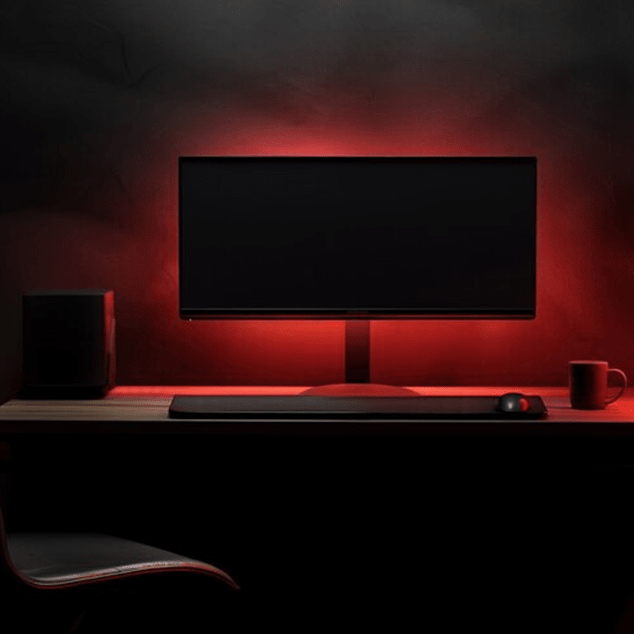
If you've spent any time scrolling through gaming setups or creator workstations online, you've probably noticed those soft glows illuminating the wall behind monitors and TVs. That's screen backlight at work, and it's become one of those additions that people either swear by or dismiss as purely aesthetic. After using various lighting setups for years, I wanted to break down what screen backlighting actually does and whether it deserves a place in your gaming or creative space.
What Actually Is a Screen Backlight?
Let's clear up a common confusion first. When we talk about screen backlight in the context of gaming and creator setups, we're not referring to your monitor's internal LED panel that produces the image. We're talking about LED strips or specialized lighting that mounts to the back of your display and projects light onto the wall behind it.

This creates an ambient glow that extends beyond your screen's edges. Some people call it bias lighting, others refer to it as screen lighting, but the concept is the same: you're adding indirect light to the area immediately surrounding your display.
The Real Benefits Beyond Aesthetics
The most obvious appeal is visual. A well-implemented screen backlight can make your setup look more polished and intentional. But there are functional benefits that actually affect your experience.
The primary advantage is reduced eye strain during extended sessions. When you're staring at a bright screen in a dark room, your eyes constantly adjust between the intense light of the display and the darkness around it. Adding ambient light behind your screen reduces this contrast, making the viewing experience less fatiguing. I noticed this most during late night editing sessions. The difference in how my eyes felt after four hours was genuinely significant.
Screen backlighting also improves perceived contrast and color depth. This sounds counterintuitive, but the soft glow tricks your visual perception into seeing darker blacks and more vibrant colors on your display. It's subtle but noticeable once you experience it.
For content creators working with color-sensitive material, there's another consideration: color accuracy perception. A neutral white backlight (around 6500K) can serve as a reference point, though this only matters if you're serious about color work.
Are Screen Backlights Actually Worth It?
Here's the honest breakdown.
The pros are real. Reduced eye fatigue isn't marketing speak. It's a measurable difference if you spend hours in front of screens. The aesthetic upgrade is subjective but undeniable if you care about how your space looks. Installation is straightforward for most setups, usually involving adhesive-backed LED strips and a USB power connection.
But there are legitimate drawbacks. The effect is most noticeable in darker environments, which means if you game or work in a well-lit room, the benefit diminishes significantly. Quality matters enormously. Cheap strips produce uneven lighting, weird color temperatures, or fail within months. You're also adding another cable and power draw to manage, which can feel like clutter if you're trying to keep things minimal.
The biggest consideration is cost versus impact. A basic screen backlight setup might run you anywhere from affordable to premium depending on features. If you're someone who regularly works or games in low-light conditions, the eye strain reduction alone justifies the investment. If you mainly use your setup during daylight hours or keep your room well-lit, you're essentially paying for aesthetics.
RGB vs RGBIC: Understanding Your Options
When shopping for screen lighting, you'll encounter two main types: RGB and RGBIC. Understanding the difference helps you make the right choice for your needs.
RGB strips display one color across the entire strip at any given time. If you set it to purple, the whole strip glows purple. These are simpler, generally more affordable, and perfectly adequate if you want a consistent ambient glow. They integrate well into most rgb setups and offer enough variety for most users.
So what is rgbic exactly? RGBIC (the IC stands for Independent Control) allows different sections of the strip to display different colors simultaneously. This enables flowing gradients, wave effects, and dynamic patterns that respond to what's happening on screen.
For gaming, RGBIC strips that sync with on-screen content can enhance immersion. Imagine explosions creating orange-red glows while exploring underwater caves bathes your wall in blue. It's genuinely cool when it works well. The tradeoff is higher cost and more complex setup, often requiring dedicated software or hardware controllers.

Most creators don't need RGBIC complexity. A quality RGB strip with adjustable white tones serves the functional purpose perfectly well. Gamers who want maximum immersion and already invest in elaborate setups will appreciate what RGBIC offers.
How Screen Backlights Fit Into Your Overall RGB Setup
If you're building out one of the best rgb setups, screen backlighting should complement rather than dominate your lighting scheme. The key is layering and balance.
Your screen backlight serves as your primary task lighting. It's functional first, decorative second. From there, you can add accent lighting like desk-mounted LED bars, floating shelves with integrated strips, or wall panels. The best rgb for gaming room designs typically use 2 to 3 light sources at different heights and intensities to create depth.
Synchronization matters if you're going all in. Most gaming-focused RGB ecosystems now include screen backlight kits designed specifically for monitors, syncing with your keyboard, mouse, and case lighting. This creates cohesive effects across your entire setup, though you'll need to stay within one ecosystem for seamless integration.
For those with dedicated entertainment setups, the principles are similar whether you're lighting a monitor or a larger display. Many people apply the same approach when choosing TV backlights for console or living-room gaming, with the main difference being scale. Larger displays need longer strips and stronger adhesion, but the functional benefits remain consistent.
The Final Verdict
Screen backlight strips are worth it if you regularly use displays in low to moderate lighting conditions and value either the functional eye strain reduction or the aesthetic enhancement. They're an easy, reversible modification that genuinely improves the viewing experience when implemented properly.
Skip them if you primarily work in bright environments, prefer absolute minimalism, or don't spend extended periods in front of screens. The benefits simply won't materialize enough to justify even a modest investment.
If you do decide to add screen lighting to your setup, invest in quality over bargain options. Poor color rendering and hardware failures will negate any benefits. Start with basic RGB if you're unsure, as you can always upgrade to RGBIC later if you find yourself wanting more dynamic effects.
Ultimately, screen backlights sit in that interesting category of upgrades that seem frivolous until you try them, then become difficult to live without. They're not essential, but for many of us who spend significant time creating or gaming, they've become a permanent fixture for good reason.


Leave a comment
This site is protected by hCaptcha and the hCaptcha Privacy Policy and Terms of Service apply.