
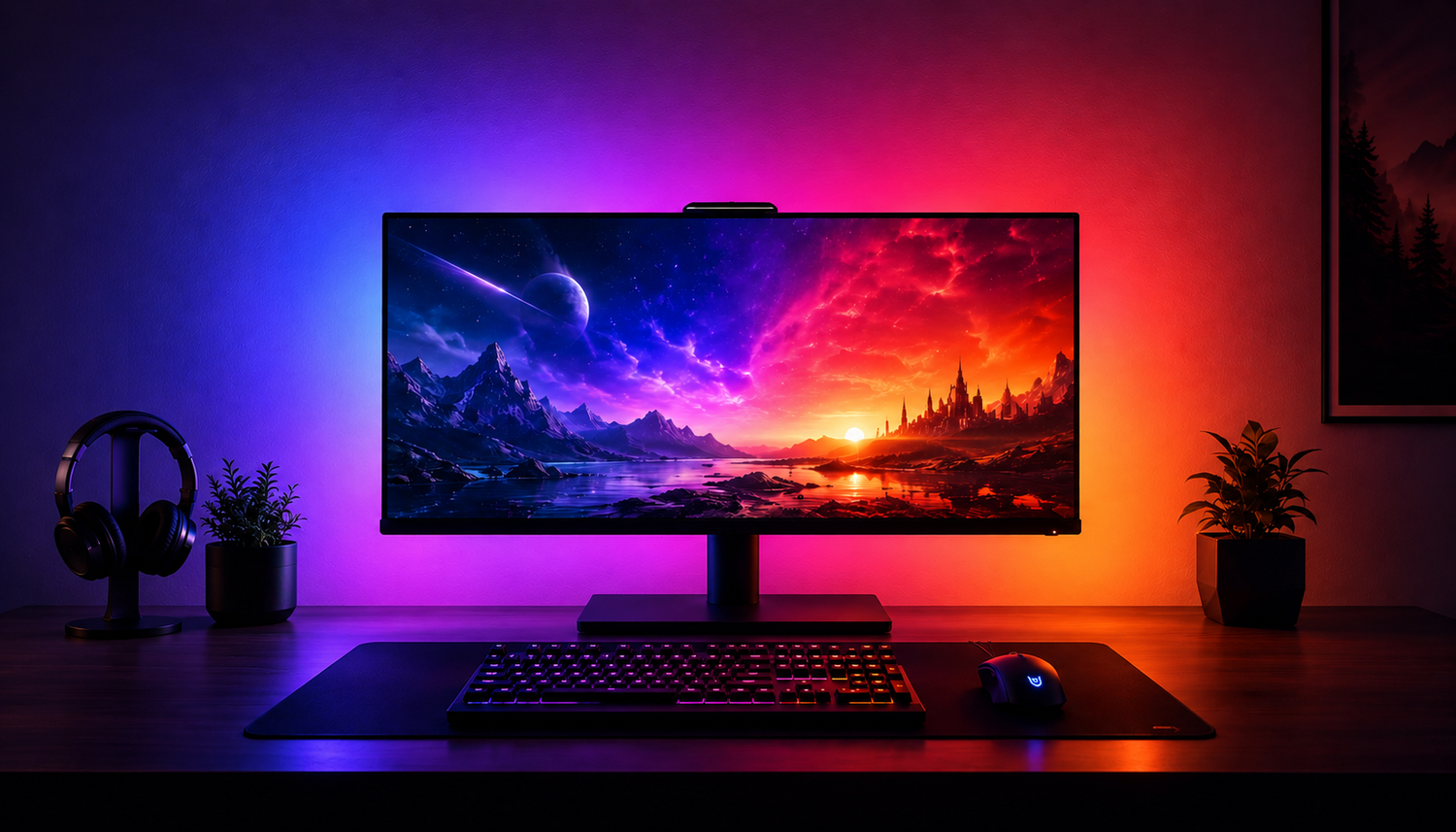
Reactive LED lights for monitors can look surprisingly similar when you are scrolling through product pages. A strip goes behind the screen, colour spreads across the wall, and everything looks great in the photos.
The bigger differences only become obvious when you look at how the lighting actually works.
Some monitor backlights watch your screen with a camera. Some route the image through an HDMI sync box. Others use software running directly on your computer. Then there are ordinary RGB strips that create a nice glow behind the monitor but do not actually follow what is happening on screen.
So if you are already looking for an LED strip for your monitor, the important question probably is not whether you want one.
It is which type makes sense for your setup.
Before buying, these are the differences worth understanding.
First, Check What “Reactive” Actually Means
The term reactive lighting gets used quite broadly.
A basic monitor LED strip might react to music through a microphone, cycle through preset effects or let you choose colours from an app. That can look good, but it is different from screen-reactive lighting.
A proper screen-reactive monitor backlight changes according to what is actually displayed on your monitor.
If the left side of a game is blue while the right side is orange, a capable multi-zone system can reproduce those colours behind the corresponding areas of the screen. As the image moves, the lighting moves with it.
That is the effect most people are looking for when searching for reactive LED lights for a monitor, monitor sync lights or a screen-reactive LED strip.
Before buying one, check exactly what the manufacturer means by “reactive”.
How Does the Monitor Backlight Read Your Screen?
This is probably the biggest difference between screen-reactive systems.
There are three common approaches.
Software-Based Screen Sync
Software-based monitor backlights read the image directly from a compatible computer.
There is no camera looking at the monitor and no video signal being routed through an external sync box. The lighting software analyses what is happening on screen and tells the LEDs which colours to display.
For a PC or Mac desk, this can keep the physical setup relatively clean.
The trade-off is compatibility. If the screen-reactive feature depends on desktop software, the computer needs to be running that software for the sync effect to work.
If you want to understand this type of setup in more detail, our monitor backlight sync guide goes deeper into how screen-synced lighting works.
Camera-Based Screen Sync
Camera systems use a small camera positioned above or below the screen.
The camera watches the colours on the monitor and translates them into lighting behind the display.
One advantage is that the lighting is reacting to the physical screen rather than relying on desktop capture. The downside is that you need a camera mounted around the monitor, and the quality of the effect can depend on positioning and calibration.
Some people barely notice the camera after installation. Others specifically want a setup without one.
HDMI Sync Boxes
An HDMI sync box sits between the video source and the display.
Because the video signal passes through the box, it can analyse the image before sending instructions to the lighting.
This can be a useful approach for certain consoles, streaming devices and entertainment setups, but it also adds another piece of hardware and more connections to the system.
There is no universally correct sync method.
The right one depends on what device you use, how clean you want the setup to be and where your video is coming from.
RGB vs RGBIC Matters More With Screen-Reactive Lighting
This is one specification worth paying attention to.
Standard RGB lighting often displays the same colour across a large section of the strip at once.
RGBIC lighting can control different sections independently.
Why does that matter?
Imagine a game where one side of your monitor is showing a bright blue sky while the other contains an orange explosion.
If the entire LED strip can only display one colour at a time, it cannot reproduce both areas properly.
With an RGBIC monitor backlight, different sections of the strip can show different colours simultaneously.
That is what allows the lighting behind the monitor to feel more like an extension of the screen rather than simply a colour-changing glow.
If screen sync is the main reason you are buying monitor lights, multi-zone colour control is one of the first specifications worth checking.
Response Time Can Make or Break the Effect
Reactive lighting only feels convincing when it reacts quickly enough.
If something flashes on screen and the LED strip changes noticeably afterwards, the illusion starts to fall apart.
For static ambient lighting this does not matter much. For gaming, films and fast-moving screen content, it matters considerably more.
When comparing reactive monitor lights, look for information about:
- screen-sync response
- latency
- how the screen is captured
- whether the lighting relies on a network connection
- how smoothly different sections of the strip transition between colours
A huge number of LEDs or dozens of lighting effects do not mean much if the lighting cannot follow the screen properly.
Check What It Actually Works With
This is one of the easiest things to overlook.
A product can be described as a monitor backlight without supporting screen sync on every device you can connect to a monitor.
For example, a software-based system may work very well with a Windows PC or Mac but require that computer software to provide the reactive effect.
If you mainly play on PlayStation, Xbox or another external device, check whether the product supports direct console screen sync or whether it will only operate as ordinary ambient lighting.
Likewise, check operating-system compatibility before buying.
The important distinction is:
Can the lights turn on with your setup?
versus:
Can the lights actually react to the screen with your setup?
Those are not always the same thing.
Make Sure the LED Strip Actually Fits Your Monitor
Monitor size matters more than it might seem.
An LED strip that is too short leaves areas of the display without much backlighting. One that is significantly too long can be awkward to route cleanly around the back.
Check the supported screen sizes before ordering, particularly if you use:
- an ultrawide monitor
- a curved monitor
- a very large display
- multiple monitors
You should also look at the physical design of the back of your screen.
Monitor stands, vents, raised panels and unusual rear housings can all affect where an LED strip can be attached.
The distance between the monitor and wall matters too. A screen positioned close to the wall generally creates a tighter glow, while more distance allows the light to spread across a wider area.
LED Strip Behind the Monitor or a Monitor Light Bar?
These products are often lumped together, but they solve different problems.
A monitor LED light bar normally sits on top of the display and shines light downward onto the desk. Its main purpose is task lighting.
A monitor backlight strip attaches behind the screen and projects light onto the wall.
If you want to illuminate your keyboard, paperwork or desk surface, a monitor light bar makes more sense.
If you want coloured ambient lighting or a screen-reactive effect surrounding the display, an LED strip behind the monitor is the relevant product.
There is nothing wrong with using both. They are simply doing different jobs.
Do You Actually Need Screen-Reactive Lighting?
Not everyone does.
If you simply want a purple, blue or warm-white glow behind your monitor, a standard LED strip may be perfectly adequate and will usually be the simpler option.
Reactive lighting starts to make more sense when you specifically want the wall behind the monitor to follow:
- games
- films
- videos
- music visualisers
- changing desktop content
In that situation, spending more on screen-sync technology, RGBIC control and lower response time can actually change the experience.
If you are going to leave the strip on one colour every night anyway, you probably do not need to pay extra for features you will never use.
What About Bias Lighting and Eye Comfort?
You may also see monitor backlighting described as bias lighting.
A soft light behind the display can reduce the perceived contrast between a bright screen and a completely dark wall. Some people find this more comfortable during longer sessions in darker rooms.
That does not make monitor lighting a treatment for eye strain, and screen-reactive RGB is not necessary if eye comfort is your only goal.
If that is your priority, a consistent neutral backlight may actually make more sense than constantly changing colours.
For gaming and atmosphere, however, reactive RGBIC lighting serves a different purpose: extending the colours of the screen into the surrounding room.
What We Would Check Before Buying a Monitor LED Strip
If we were comparing reactive LED lights for a monitor, these are the things we would look at before getting distracted by the number of lighting effects:
How does it sync?
Software, camera, HDMI or something else?
Is it genuinely screen-reactive?
Music reaction and preset effects are not the same as screen sync.
Can different parts of the strip display different colours?
RGBIC or another form of multi-zone control matters for accurate screen matching.
How responsive is it?
Lighting that noticeably trails the image can quickly become distracting.
Does screen sync work with your device?
Check PC, Mac, console and operating-system requirements.
Does it fit your monitor size?
This is particularly important for ultrawide and unusually large screens.
Do you actually need the reactive features?
If you only want a static ambient glow, a simpler strip may be enough.
Those questions tell you considerably more about a monitor backlight than a list of 100 lighting presets.
Where the Zyko Atmos Monitor Backlight Fits
The Zyko Atmos Monitor Backlight is built around a particular type of setup: PC and Mac users who want screen-reactive RGBIC lighting without putting a camera around the monitor or routing the display through an HDMI sync box.
Atmos uses software-based screen sync through the computer.
That means the backlight can react to screen content while keeping the physical setup relatively simple. It connects through USB, with the screen-sync processing handled through desktop software.
The RGBIC strip can display different colours across different sections at the same time, rather than forcing the whole strip to follow one colour.
Atmos is currently available for 24 inch, 27 inch, 32 inch, 34 inch and 49 inch displays.
It also has a 22ms real-time response, which is particularly relevant for gaming and fast-moving content where delayed lighting would be much more noticeable.
There is an important limitation worth understanding too.
If you want direct reactive screen sync from a console without using a compatible computer, Atmos is not designed around that use case. The reactive features require the desktop software.
If you mainly use a PC or Mac and specifically want to avoid a camera or HDMI box, that is where the Atmos system makes the most sense.
Extending Monitor Backlighting Beyond the Screen
Once the lighting behind the monitor is sorted, some setups benefit from spreading the effect further across the desk.
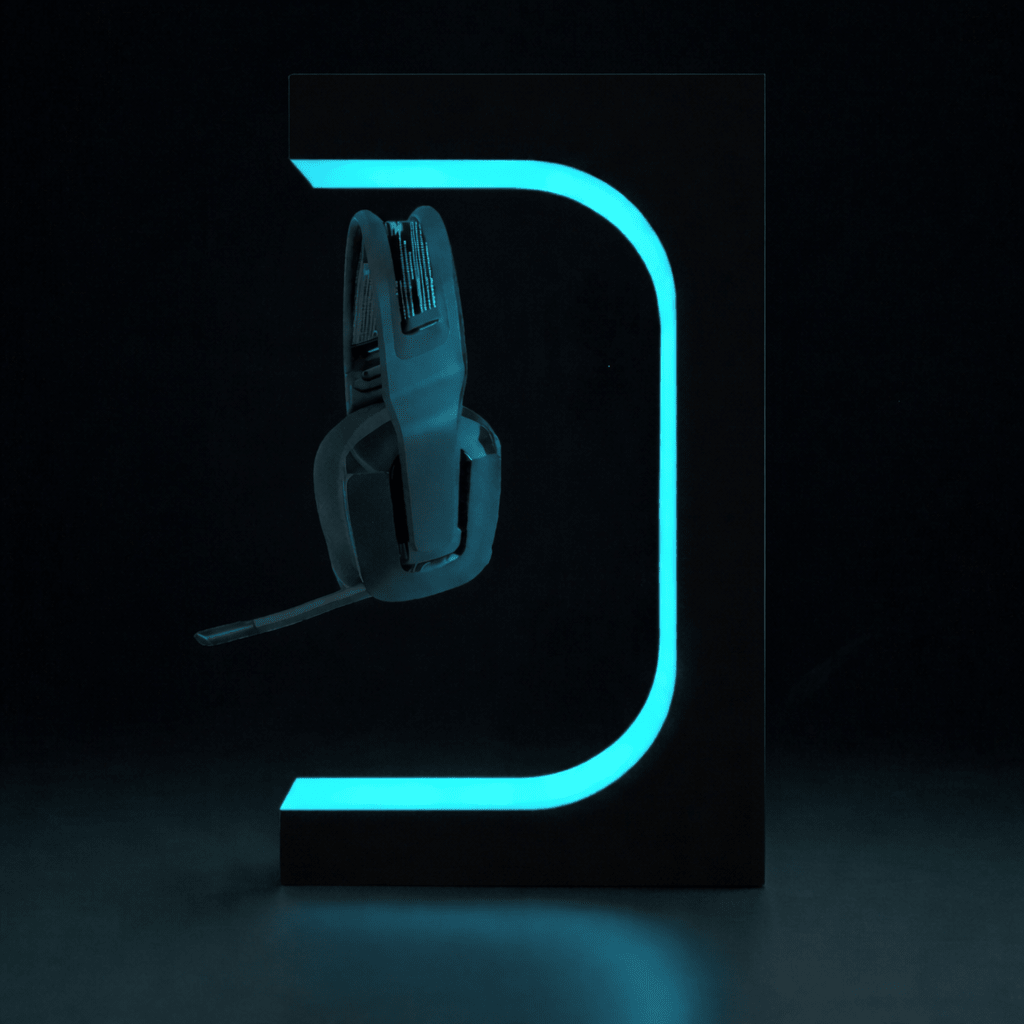
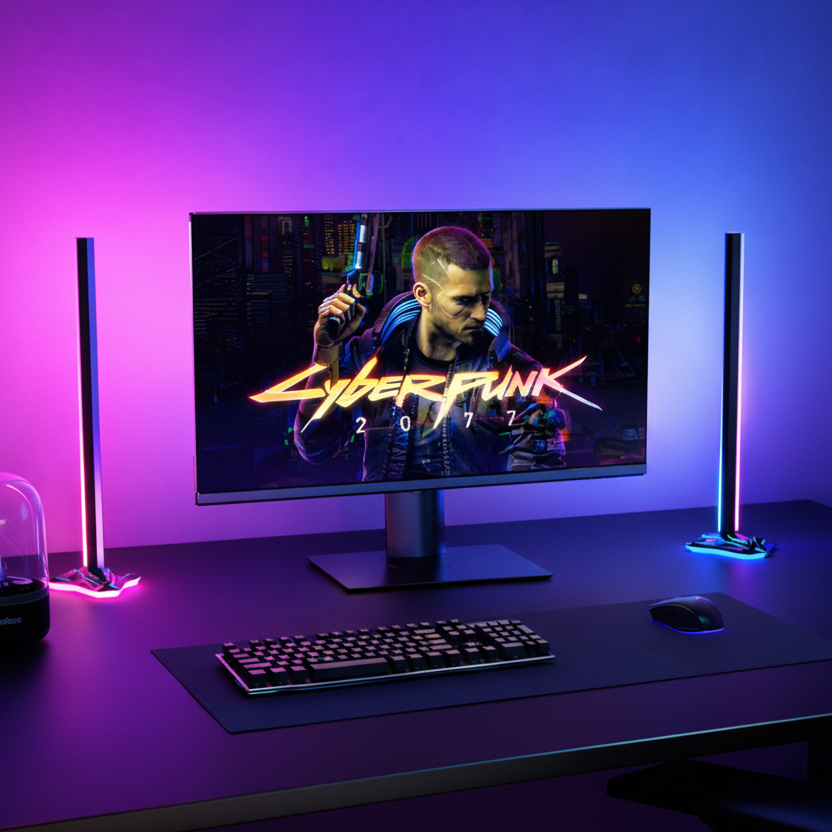
The Zyko Atmos Sync Bars are designed to sit beside a display and add lighting beyond the edges of the screen.
They are not required for the monitor backlight to work.
The strip creates the main glow behind the display. Additional bars simply make the effect wider if you want more of the desk and surrounding wall involved.
For smaller desks, the backlight alone may be enough.
Final Thoughts
If you are already searching for LED strip lights for a monitor, you probably do not need convincing that monitor backlighting looks good.
The more useful question is what sits behind the effect.
A static RGB strip, camera-based backlight, HDMI system and software-based RGBIC monitor backlight can all produce coloured light behind a screen, but they get there in very different ways.
Start with your device and work backwards.
If you only want ambient colour, keep it simple.
If you want the lighting to follow your screen, check the sync method, RGBIC capability, response time, monitor sizing and device compatibility before you buy.
And if your setup is primarily PC or Mac and you want screen-reactive lighting without a camera or HDMI box, the Zyko Atmos Monitor Backlight is designed specifically around that use case.
Frequently Asked Questions
What are the best LED strip lights for a monitor?
That depends on what you want the lights to do. For a fixed ambient glow, a standard RGB monitor LED strip may be enough. For lighting that reacts to the colours on your screen, look for screen-sync support, multi-zone RGBIC lighting, suitable monitor sizing and low response time.
How do reactive LED lights for a monitor work?
Reactive monitor lights analyse what is happening on the screen and change the lighting behind the display to match. Depending on the system, this can be done using desktop software, a camera pointed at the screen or an HDMI sync box.
Can I put an LED strip behind my monitor?
Yes. Many monitor LED strips are specifically designed to attach to the rear of a display and project light onto the wall behind it. Check the supported monitor size and make sure vents, stands or raised sections on the rear of the display do not interfere with installation.
What is the difference between RGB and RGBIC monitor backlights?
Standard RGB lighting may display one colour across much of the strip at once. RGBIC allows different sections of the strip to display different colours simultaneously. This is especially useful for screen-reactive lighting because different areas of a monitor rarely show the same colour at the same time.
Do screen-reactive LED strips need a camera?
Not always. Some systems use a camera, others use an HDMI sync box, and software-based monitor backlights can analyse the screen directly from a compatible computer. Each method has different compatibility and setup requirements.
Do monitor LED strips work with gaming PCs?
Many do, although not every strip provides screen sync. If you want the lighting to react to games in real time, check that the product supports screen capture on your operating system rather than simply offering static colours or music-reactive modes.
Can reactive monitor lights work with consoles?
It depends on the sync method. Camera and some HDMI-based systems can support external video sources, while software-based systems usually require a compatible computer for reactive screen capture. Always check whether the reactive functionality, rather than just the LEDs themselves, supports your device.
Is RGBIC worth it for monitor backlighting?
If you want accurate screen-reactive lighting, RGBIC is much more useful than it is for a simple static backlight. It allows different sections behind the monitor to display different colours at the same time, creating a closer match to the image on screen.
Are monitor backlights the same as monitor light bars?
No. A monitor light bar normally sits above the screen and illuminates the desk. A monitor backlight or monitor LED strip sits behind the display and illuminates the wall. One is primarily task lighting; the other is ambient or screen-reactive lighting.
Does monitor backlighting help with eye strain?
A soft backlight can make the contrast between a bright monitor and a dark room feel less harsh for some people, but it should not be treated as a solution for eye strain. If visual comfort is the main goal, consistent neutral bias lighting may be more appropriate than rapidly changing RGB effects.

Leave a comment
This site is protected by hCaptcha and the hCaptcha Privacy Policy and Terms of Service apply.