
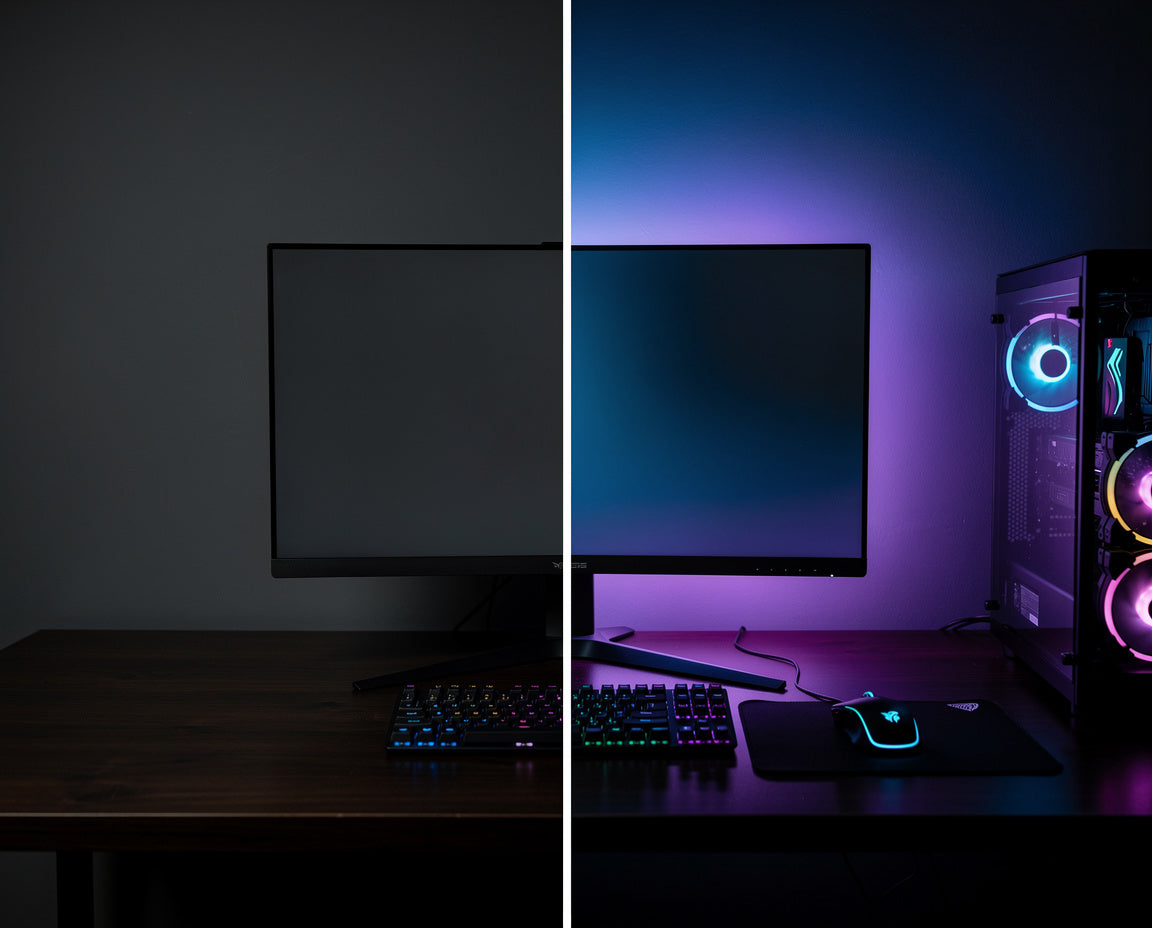
Most desk setups are one small detail away from feeling complete. The monitor sits there, doing its job, surrounded by ambient darkness and that gap between screen and wall does more than just look unfinished. It strains your eyes without you realising.
Adding a monitor backlight strip to the back of your screen is one of those rare changes that improves how your desk looks and how it feels to use. It takes minutes to install, costs little, and the difference is immediately visible.
If you want a clean, considered setup, this is where to start.
What a Monitor Backlight Does for Your Setup
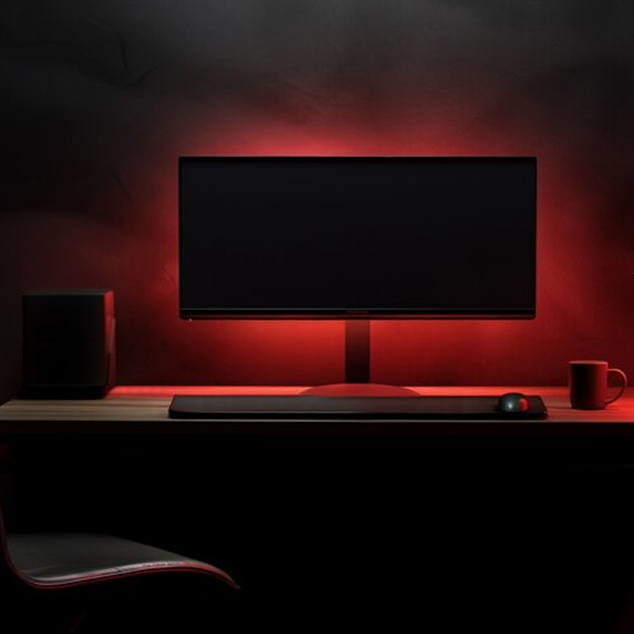
A monitor backlight strip is an LED strip that mounts to the back of your display, casting a soft glow onto the wall behind it. That glow is called bias lighting, a technique that reduces the contrast between a bright screen and a dark room.
The concept is simple: when there's ambient lighting behind your monitor, your eyes don't have to work as hard adjusting between the bright display and the darkness around it. The result is a setup that looks intentional and a viewing experience that feels noticeably easier on the eyes during long sessions.
Beyond comfort, the backlight adds depth to your desk. The wall behind your monitor becomes part of the setup, not just a backdrop.

Why Gamers and Desk Enthusiasts Actually Use Monitor Backlighting
The appeal of monitor backlighting comes down to three things people genuinely care about: immersion, aesthetics, and comfort.
Immersion. Ambient lighting behind a monitor softens the hard boundary between your screen and the room. When you're focused on a game or a project, that glow pulls your peripheral vision into the experience. It's subtle, but it changes how absorbed you feel in your gaming setup.
Aesthetics. A clean desk setup isn't just about what's on the surface, it's about the atmosphere. A monitor backlight strip gives the area behind your screen a deliberate, designed quality that complements the rest of your workspace. It's the kind of detail that makes a setup look considered.
Comfort. Sitting in front of a bright monitor in a dark room creates significant eye strain over time. Bias lighting narrows that brightness gap. Many people notice a real reduction in eye fatigue after switching to a backlit setup, especially during evening sessions.
None of these are cosmetic extras. They're practical improvements that change how your setup performs over time.
If you want clean RGBIC monitor backlighting that installs in minutes, Zyko monitor backlights are designed for exactly that.
RGB vs RGBIC: What's the Difference and Which One Should You Buy?
If you've been looking at monitor backlight strips, you'll have seen both RGB and RGBIC options. The difference matters, and it's worth understanding before you buy.

Standard RGB strips show one colour across the entire strip at a time. If you set it to blue, the whole strip is blue. You can cycle through colours or hold a static tone, but every LED changes together.
RGBIC technology means the LEDs are individually controlled in segments. The strip can display multiple colours simultaneously, gradients, patterns, and transitions that shift across the length of the light. Our monitor backlights use RGBIC technology, which is what allows that smooth, layered gradient effect rather than a single flat colour.
When is standard RGB enough? If you want a single-colour bias light and plan to leave it on one tone most of the time, basic RGB does the job. But if you want something that actually looks premium, dynamic, gradient-lit, with depth, RGBIC is the right choice.
For a desk setup where the backlight is part of the aesthetic, not just a utility addition, RGBIC is the version worth getting.
Music sync lighting takes this further. Many RGBIC kits include a sound-reactive mode that picks up audio through a built-in microphone and shifts the lighting in real time to match the beat. For gaming setups, streaming backgrounds, or just adding atmosphere to your desk, it turns the backlight into something that feels genuinely alive rather than decorative. It's one of those features that sounds like a gimmick until you actually use it.
Fit, Setup, and Everything You Need to Know Before Buying

Our RGBIC monitor backlights are USB powered and use a peel-and-stick installation. They're designed to work with both flat and curved monitors, so compatibility isn't something you need to worry about for most setups. Every Zyko monitor backlight also includes a 1 year warranty, so you're covered if anything goes wrong. Here's how the process works:
- Check the size. Measure the back of your monitor before ordering. Our RGBIC kits are designed to fit screens within a specific size range, so confirm the strip length suits your display.
- Peel and stick. The adhesive backing attaches directly to the rear of your monitor. Run the strip around the edge, most people go along the top and sides for the most even glow.
- Plug in via USB. Connect to a free USB port on your monitor, PC, or a USB wall adapter. No separate power supply needed.
- Control the lighting. Our backlights are controlled via remote or an accompanying app, depending on the kit.
Quick answers before you order:
Will it fit my monitor? Measure the back of your screen before purchasing. Our product listings include compatible screen sizes, and if you're unsure, you're welcome to get in touch with us directly.
How do I set it up? Peel the backing, stick the strip to the rear of your monitor, and plug the USB cable into any free USB port. Most setups take under five minutes.
Do I need any extra equipment? No. The strips are USB powered, so a free USB port on your monitor or PC is all you need. A USB wall adapter also works.
Is it good for eye strain? Yes. Bias lighting behind a monitor reduces the contrast between a bright screen and a dark room, which lessens the work your eyes do during long sessions. Many customers notice the difference within a few days.
Does it sync with gaming consoles? Our monitor backlights work with any setup where a USB power source is available. App-based sync features vary by kit, so check the individual product listing for details.
How do I control the colours and effects? Via a physical remote or a companion app. Both let you change colour, brightness, and lighting mode without interrupting what you're doing.
What is the returns and shipping policy? We offer straightforward returns and shipping on all orders. Full details on timelines, eligibility, and how to make a return are on our shipping and returns page.
What support do you offer? We're here to help with any questions about fit, installation, or your order. Reach out to us anytime via our website at Zyko.uk.
A clean RGBIC glow behind your monitor changes the feel of a desk setup in a way that's hard to describe until you see it. Our RGBIC monitor backlights are USB powered, peel-and-stick, and ready to install in minutes. Shop the full range at Zyko.uk.

Leave a comment
This site is protected by hCaptcha and the hCaptcha Privacy Policy and Terms of Service apply.